 maratool
Scaling to 235 tools: ⌘K palette, hub pages, tags, and a new homepage
Two months ago maratool had 79 tools and the old homepage was already getting crowded. After shipping the Health category, we crossed 235 tools — and the shell that worked at 8 simply stopped working at 235. This is what we rebuilt.
The brief was uncomfortable: maratool is supposed to become a huge compendium of browser-based tools. 1,000+ tools, eventually. But the homepage was per-category 3-card sections, the sidebar was a flat list of every tool, and the only thing that actually scaled was the topbar search. We needed a real information architecture.
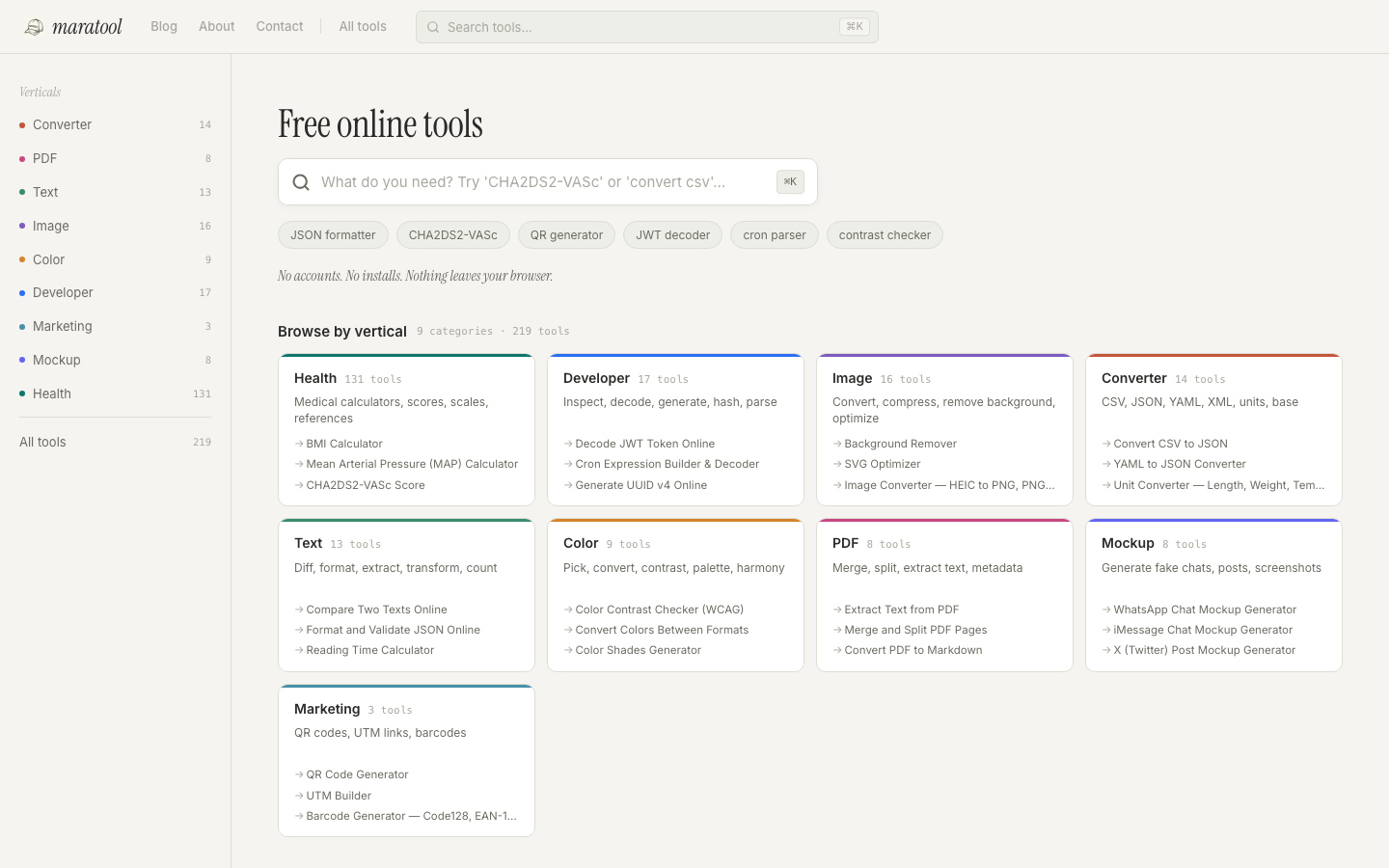
The redesign borrows from MDCalc (faceted filters, A-Z jump), Linear and Raycast (the command palette), and Tiny Helpers (dense tool rows). Everything below is live now.
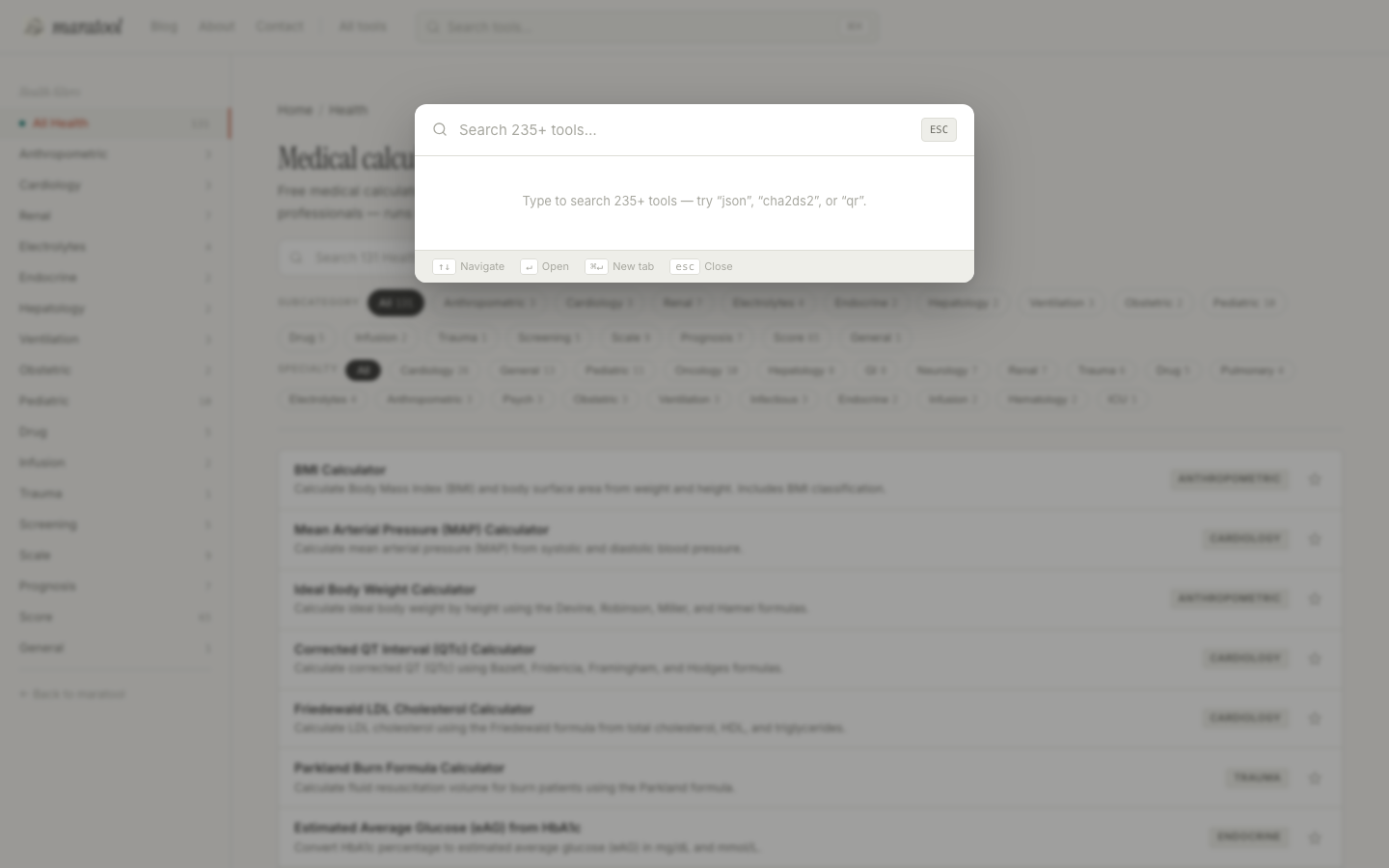
Press ⌘K from anywhere
The most useful change is the smallest. Press ⌘K (or Ctrl+K) on any page and a command palette opens — fuzzy search across all 235 tools, sectioned by vertical, with your recently used and pinned tools showing in the empty state. Arrow keys navigate, Enter opens. It's the fastest way to get anywhere on the site.
The topbar search trigger in the header now opens this palette too. On mobile the palette becomes a full-screen sheet.
Every vertical is now a real destination
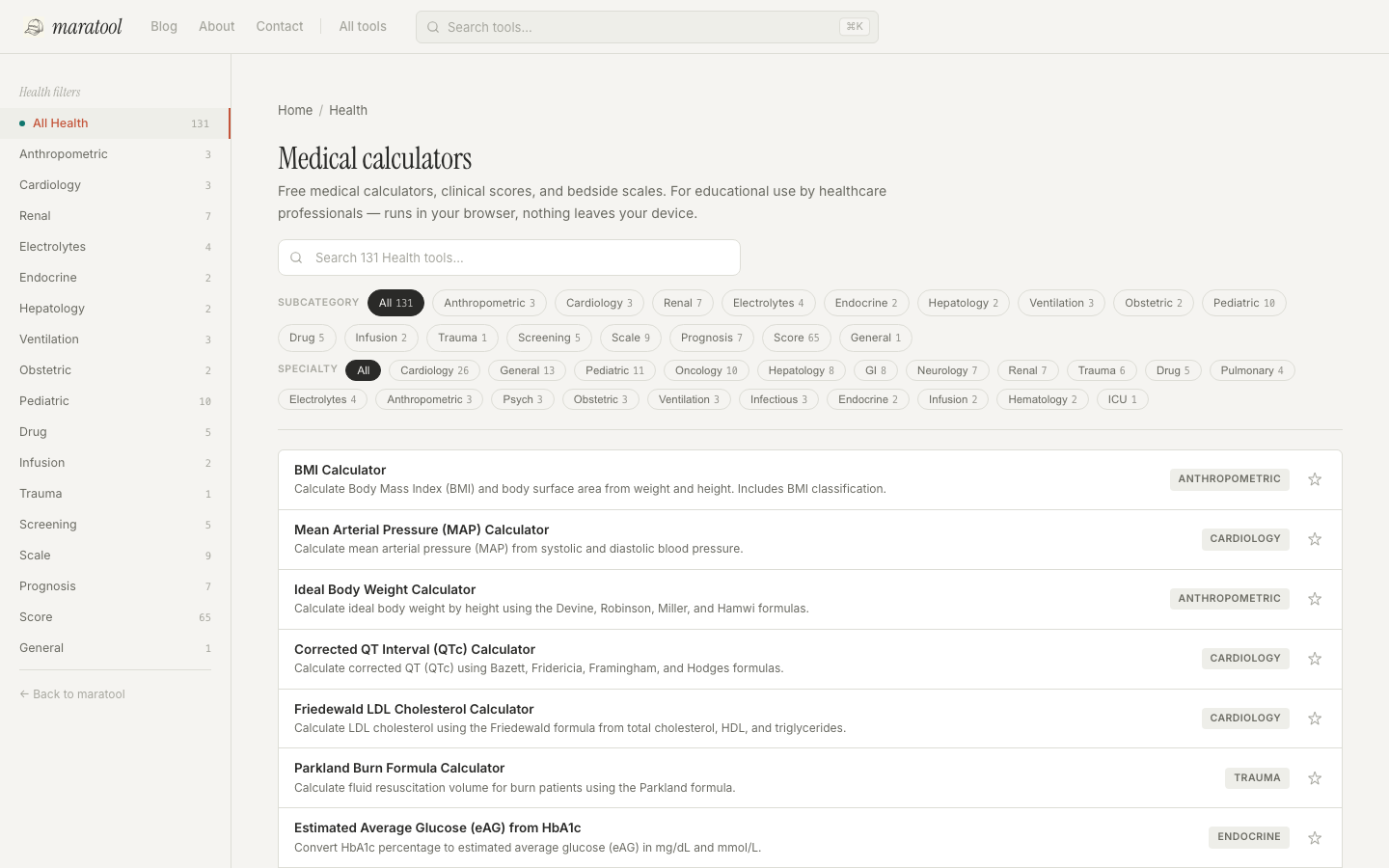
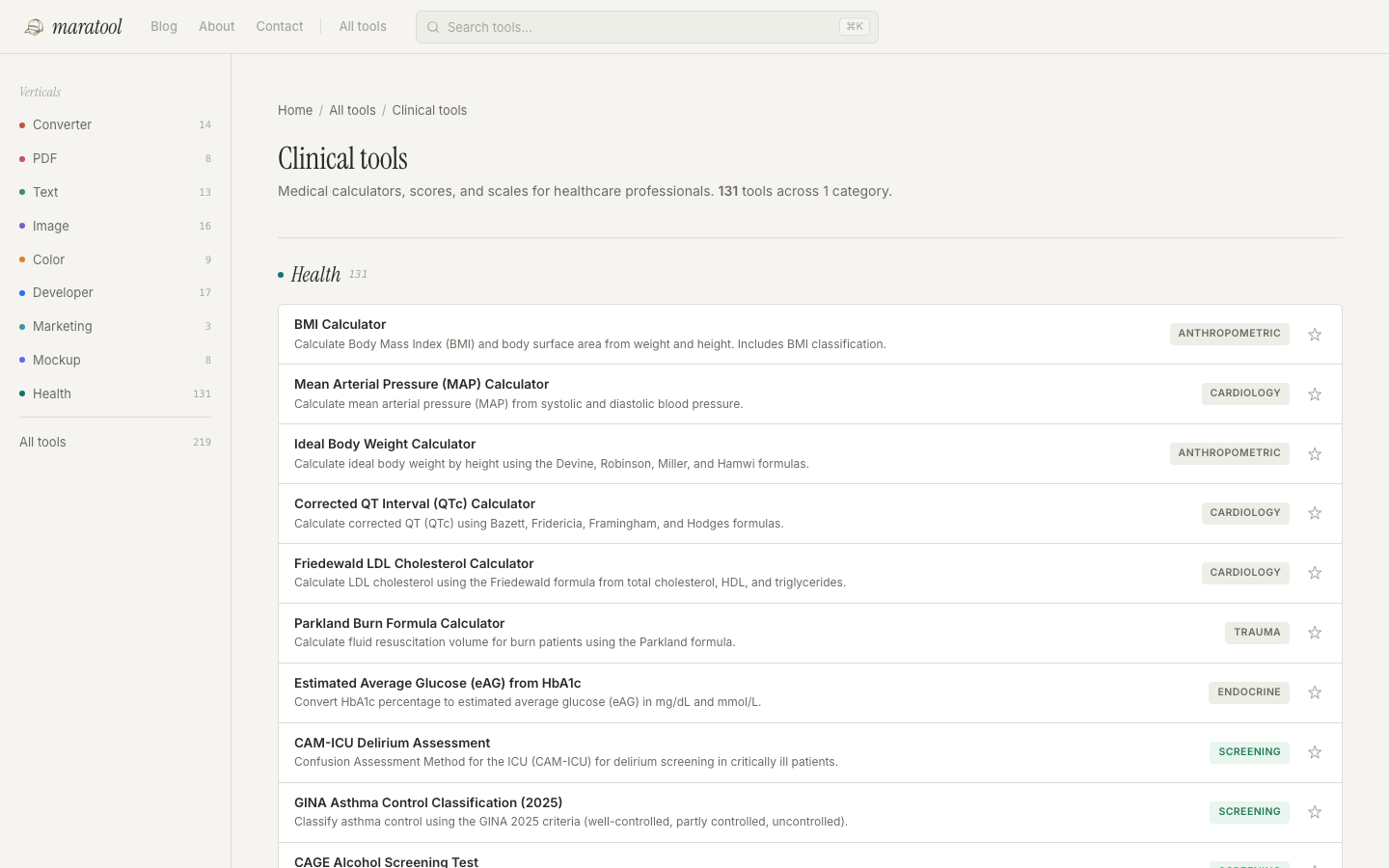
Each category used to be a flat dump. Now /health, /developer, /image, /text, /converter, /color, /pdf, /marketing, and /mockup share a hub template with:
- Scoped search — filters the list live as you type, only inside the current vertical.
- Faceted filter pills — click a subcategory pill to narrow down. URL syncs via query params, so links are shareable.
- Dense rows — name + description + subcategory badge + pin button per row. Designed to read at scale, not browse 3-up cards.
- Pagination — 30 tools per page, with "1–30 of 145" counter and ellipsis page picker.
Subcategory landing pages
Every subcategory now gets its own page — /health/cardiology, /developer/crypto, /image/convert, and so on. These are auto-generated from the tool registry and exist for one reason: people search for "cardiology calculators online", not for "maratool". The subcategory page is the destination Google sends them to.
New homepage: a compendium index
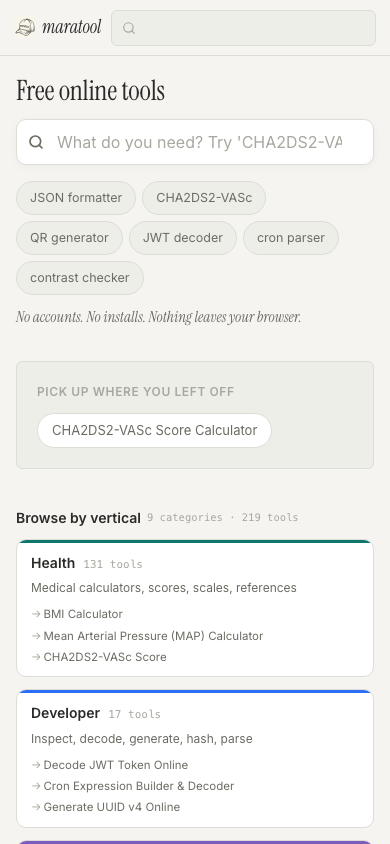
The homepage used to be 3-card sections per category — fine for 7 categories, broken at 9. The new homepage is a verticals grid: each vertical gets a card showing its name, tool count, and 3 popular tools. Health leads (145 tools), then Developer (17), Image (17), Converter (14), Text (13), Color (9), PDF (8), Mockup (8), Marketing (3).
Below the grid: "Popular this week", "New", "Recently used", and "Pinned" — only the sections that have content for you.
Popular tools, derived not hardcoded
"Popular this week" used to be whatever list I edited last. Now it's computed: a small manual boost for hand-picked tools, plus a signal from keyword count, category size, and recency in the registry. Determinístico — adding a new tool re-ranks everything, no list to maintain.
/all — alphabet jump index
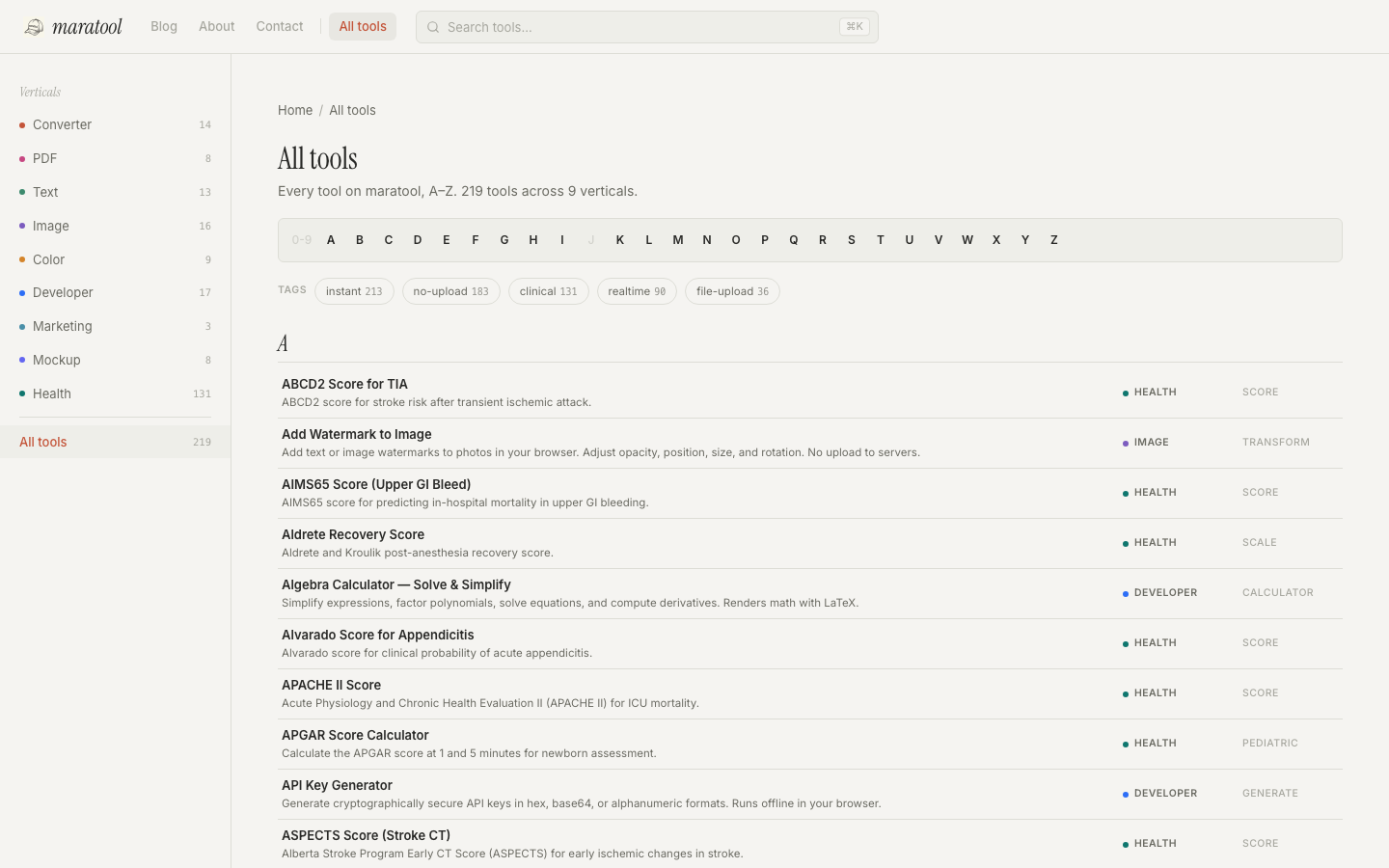
/all lists every tool A-Z with a sticky alphabet jump at the top, MDCalc-style. If you know the name — "MELD", "Friedewald", "Pomodoro" — this is faster than scrolling categories. Letters with no tools are dimmed; tag pills above the list give cross-cutting entry points.
Tags: a cross-cutting axis
Categories answer "what kind of thing is this?". Tags answer "how does it behave?". Five tags exist today and every tool is auto-tagged from its metadata:
- instant — runs in your browser with zero round trips.
- no-upload — never sends your data anywhere.
- file-upload — works on local files you drop in.
- realtime — updates as you type, no submit button.
- clinical — medical calculators and clinical scores.
Each tag has its own page — for example, /tag/clinical shows all 145 medical tools regardless of specialty, grouped by area.
Pin your favorites
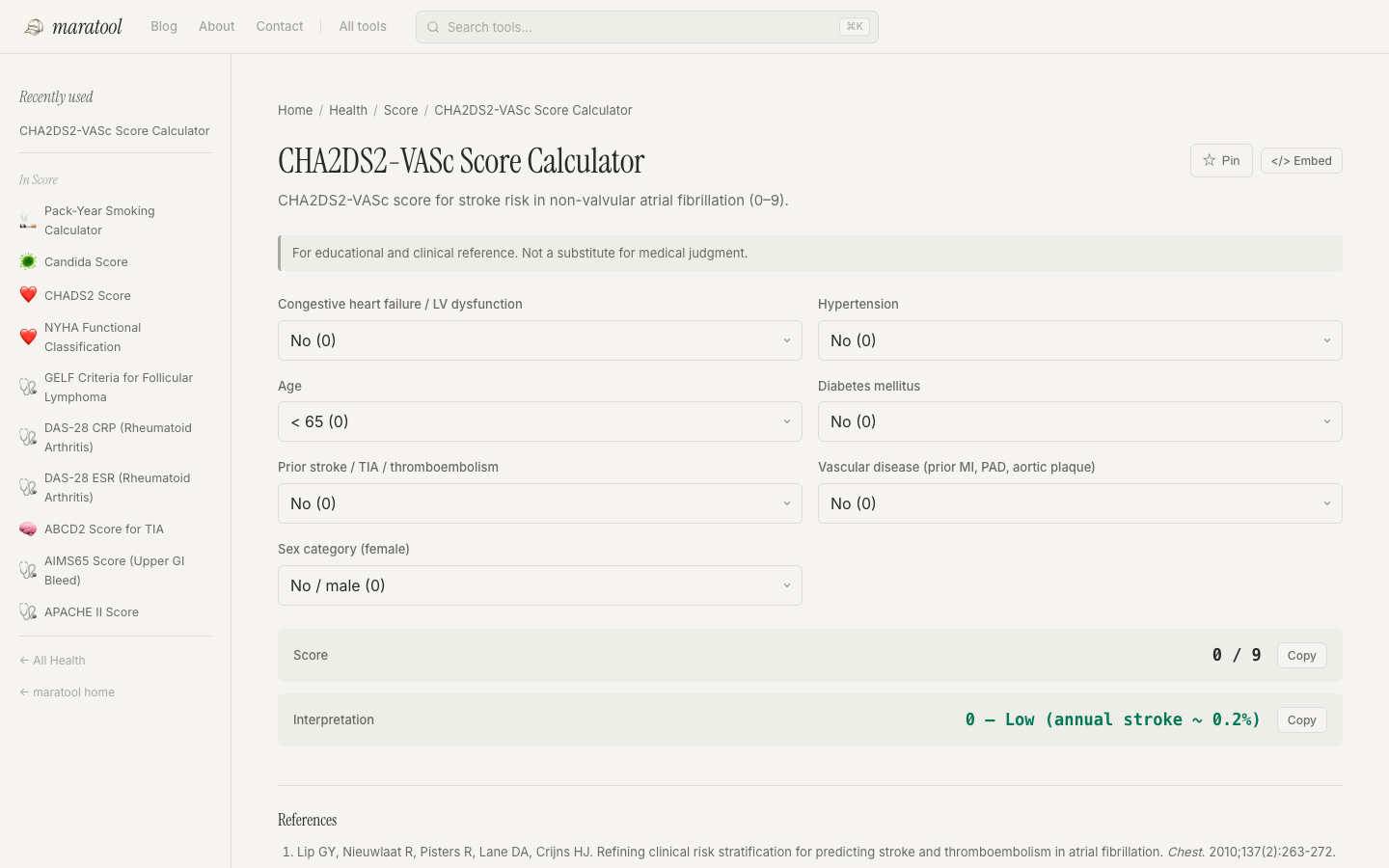
Every tool page now has a ★ Pin button next to the title. Pinned tools show up at the top of the sidebar, in the ⌘K palette empty state, and on the homepage. Stored in localStorage — nothing sent to a server. It complements the automatic "recently used" list rather than replacing it.
The sidebar is contextual now
Showing all 235 tools in the sidebar was never going to scale. The sidebar now adapts to where you are:
- Home — lists the 9 verticals with counts.
- Hub (e.g. /developer) — lists subcategories of that vertical.
- Subcategory (e.g. /health/cardiology) — lists sibling tools.
- Tool page — lists other tools in the same subcategory.
Always relevant, never overwhelming.
A small thing for clinicians: dual-axis filter on Health
Health is 62% of the site and has its own discovery problem. A cardiologist doesn't think "Score" vs "Calculator" — they think "I need a cardiology score". So /health gets a second axis: a Specialty dropdown layered on top of the subcategory facet. /health/?specialty=cardiology pulls MAP, QTc, Friedewald, CHA2DS2-VASc, NYHA, HAS-BLED, Killip, and the rest — across whatever subcategory bucket they happened to land in.
The specialty is inferred from each tool's keywords, so it stays accurate as tools are added.
Pagination that doesn't break SEO
The Health hub has 145 tools. Showing all of them in one DOM blob is bad UX; splitting them into ?page=2, ?page=3 server-side fragments the internal link graph that Google uses to discover tools. The compromise: render every tool in the HTML, hide all but the current page with CSS. The full link graph is there for crawlers, the page feels light for humans.
Mobile pass
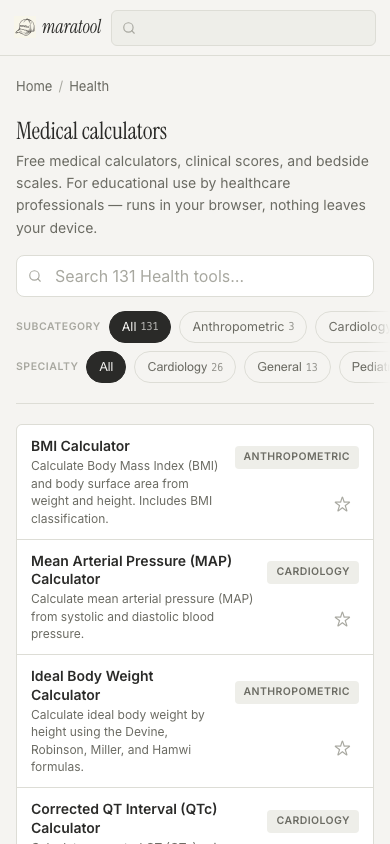
The whole redesign got a mobile audit, copying patterns from MDCalc's mobile site:
- Horizontal-scroll facets with a fade mask on the right edge — facet pills never wrap, never collapse into a dropdown, never hide.
- Full-screen palette — ⌘K becomes a full-height sheet under 640px.
- iOS-safe inputs — every input is at least 16px to prevent the auto-zoom on focus.
- Touch targets — pills 32px tall, pin button 36px, per Apple HIG.
- No hamburger — mobile users search, they don't browse top-nav. Nav lives in the footer.
What didn't change
The stack is still the same. Astro, plain CSS with variables, vanilla JS, no framework inside tool logic. Static output to Cloudflare Pages. The whole IA layer is roughly 4 new Astro components, one CSS file, and a few derived fields in the tool registry. Build is 286 pages and ~7 seconds.
The aesthetic stayed the same too: warm beige (#f5f4f1), Instrument Serif italic for display, Inter for body, a single terracotta accent. Health didn't get its own visual treatment — one shell, one feel. Differentiation comes from the dual-axis filter and the colored purpose badges, not from a different color story.